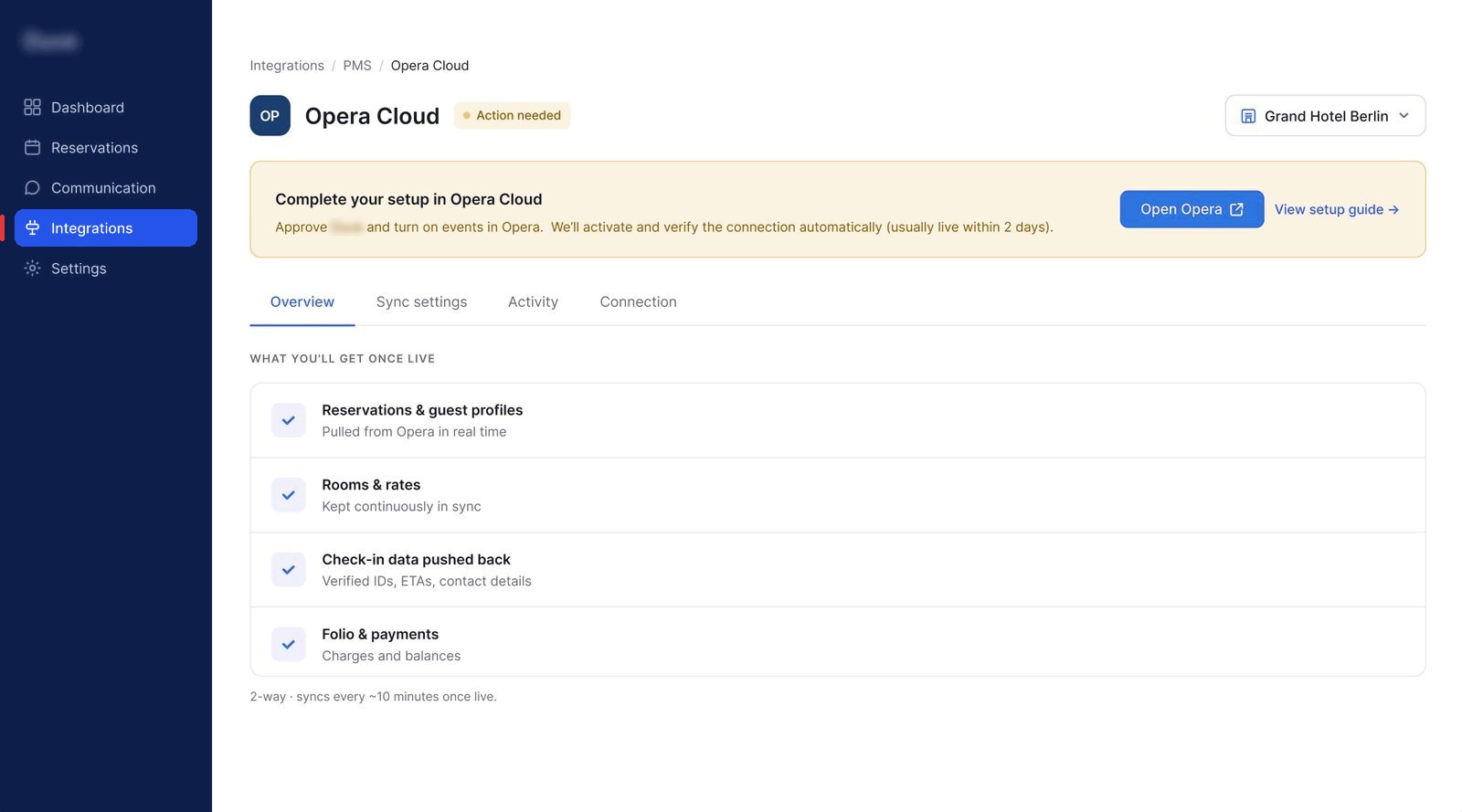
Spread over three pages
Integrations were all set up in a different part of the product, without clear reasoning or guidance on where to find them.
Before a hotel can use the platform, it has to connect the external softwares it uses. We designed that setup so hotel staff can do it on their own, in one place, and always know what's happening.
Connecting each integration happened in a different part of the product, and no one knew where to find them. Every integration asked for different details, and nobody could tell what was going on. So hotels kept contacting support.
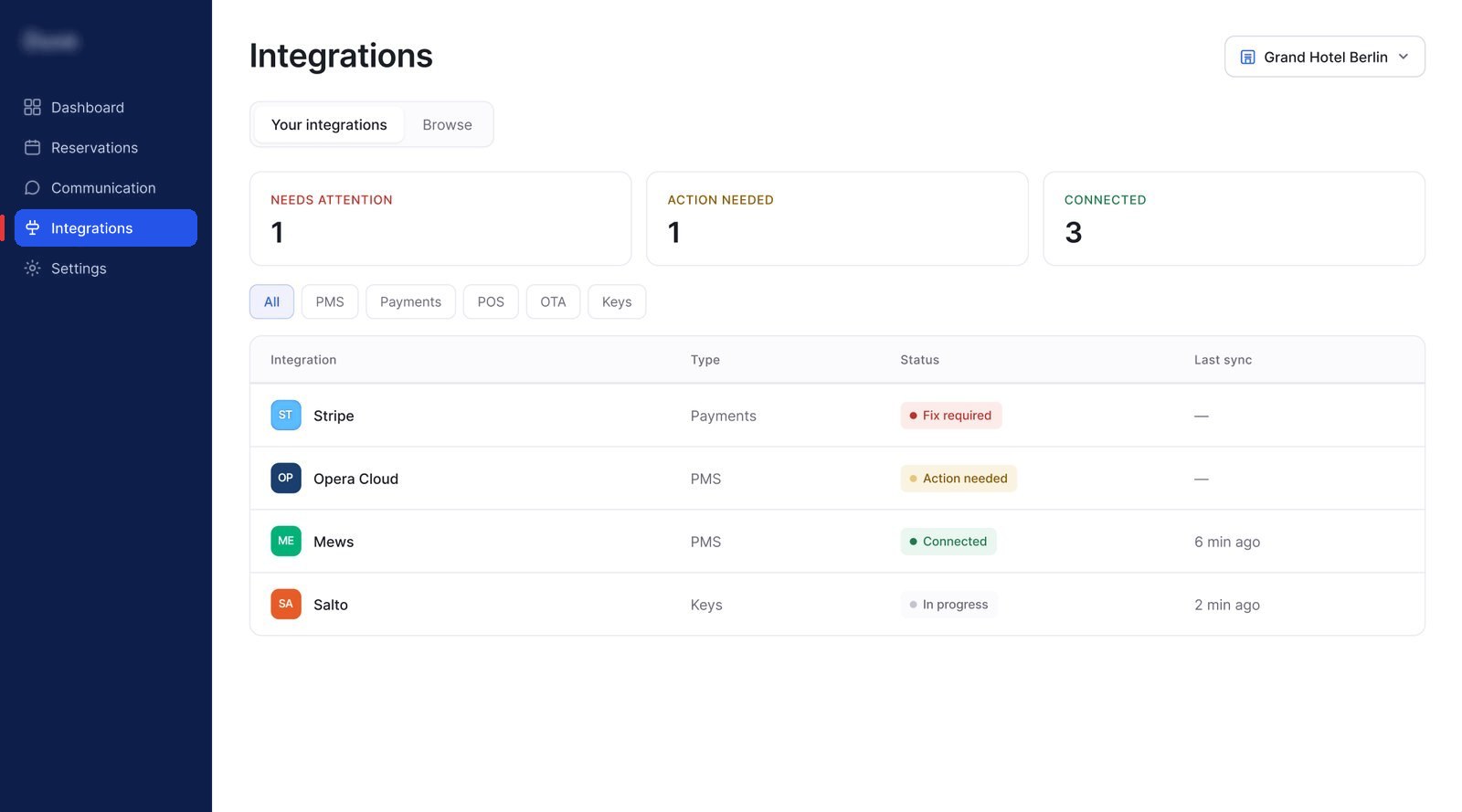
One Integrations page for everything. Each integration has its own section and flow with a clear status that says what's happening and who needs to act next.
The same page template and the same four statuses work for all 150+ integrations, so adding a new integration doesn't need a new design every time, and each one has a familiar, unified experience.
The platform helps hotels with check-in, guest messaging and more. To do that, it needs data from the hotel's other software. Each connection to another system is called an integration.
Our research found that hotels often needed a support person to finish setup because of four main blockers:
Integrations were all set up in a different part of the product, without clear reasoning or guidance on where to find them.
Codes, IDs and keys, with instructions that lived outside the product. Staff had to hunt for them.
Every connection just said "active". You couldn't tell if it was done, waiting or broken.
Some integrations need approval from another company. That can take days, and staff saw nothing but a spinner.
Some connections work in one click. Others need several people to act, one after another. When nothing says whose turn it is, staff assume it's stuck and contact support.
The design had to feel effortless for the fast ones and stay clear and calm for the slow ones.
One page that works for every integration, instead of a new design for each one.
We tried five layouts. The hub won because it's the only one that puts every integration's status in one list. We kept the best parts of two others.
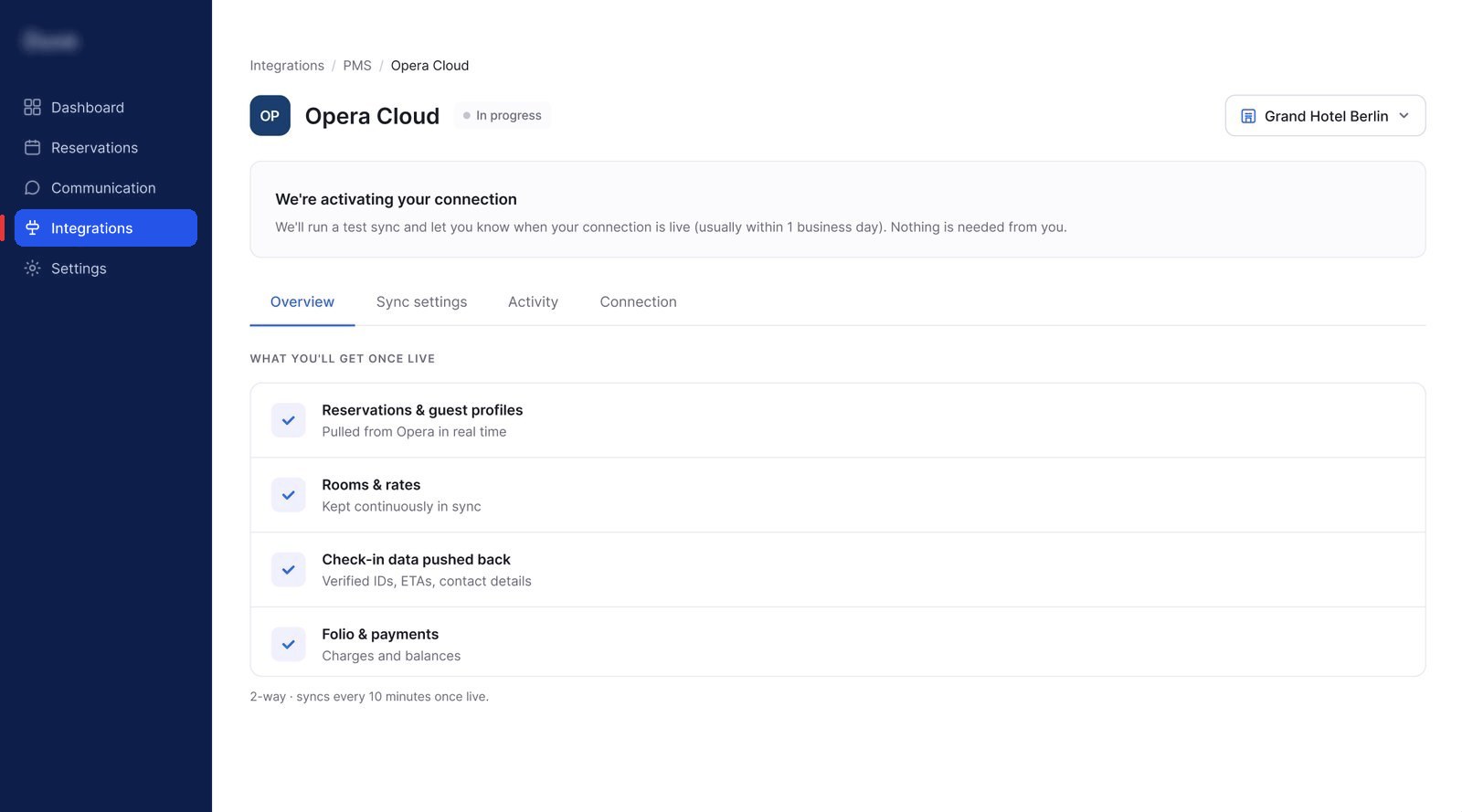
Setting up, waiting, working or broken, it's always the same page. Only the message at the top changes.
You, the other company or the platform. No guessing.
Some integrations need a sign-in, others a code or a few details. Setup shows only what that integration needs.
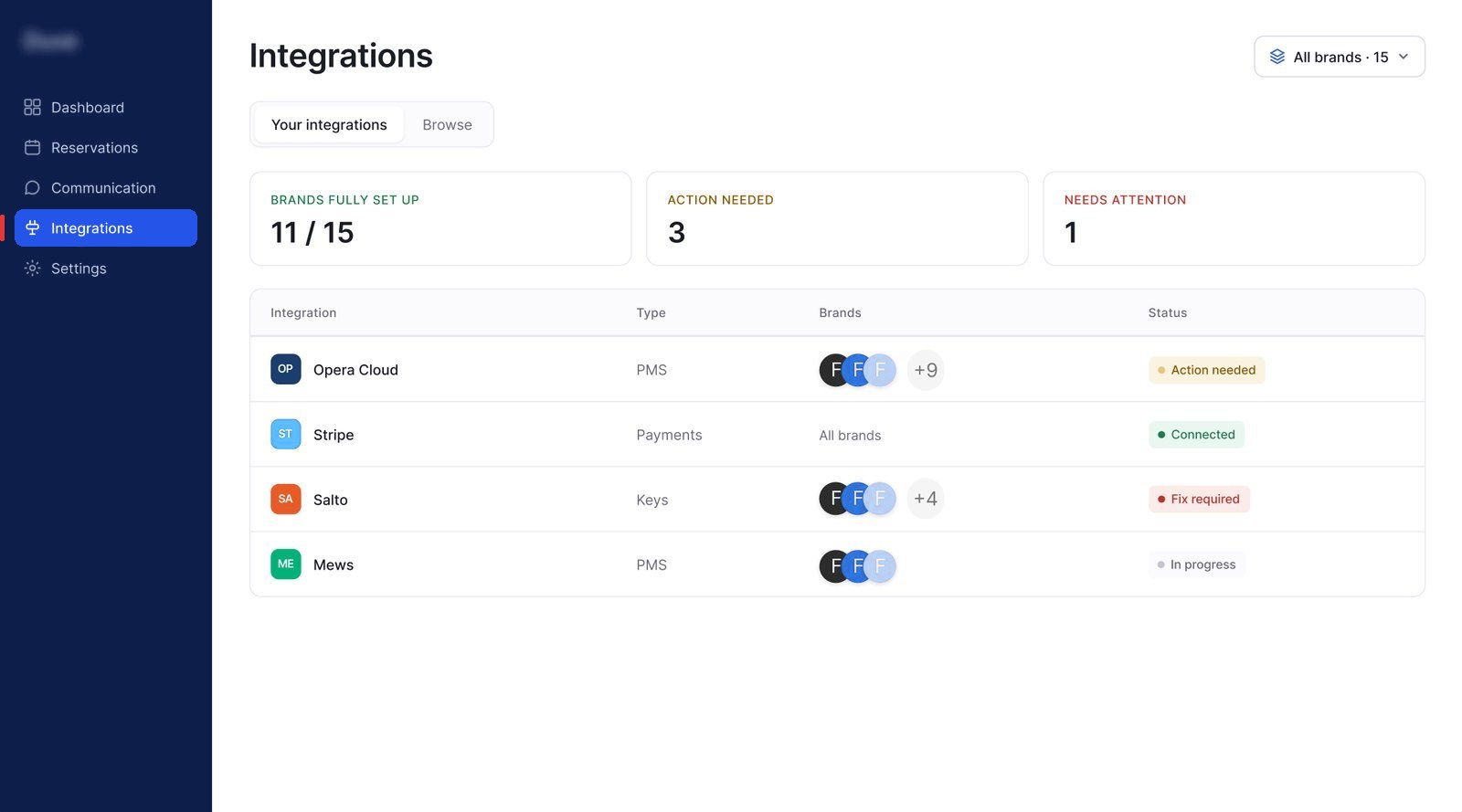
A group can see all its hotels at once, or pick one hotel.
Different statuses depending on the stage of the setup.
Action needed means you haven't finished setting up. Fix required means something that was working has broken. Keeping them apart tells staff which situation they're in from the label alone.
Waiting, working and broken are all statuses of the same integration, so they belong on the same page. Staff can leave and come back, and they're told when it's live.
Many customers run several hotels. A switcher at the top shows all of them at once, or one hotel on its own. One hotel looks exactly like a standalone hotel's page.
Opera Cloud is a popular hotel booking system, and one of the hardest to connect. It needs several details, a step in Oracle's own system, and an approval wait.
Each change ships with a clear metric, so the model can be proven before it's extended.