For business owners
Deleting a link lost its URL, settings and booking history. And there was no way to know if people were still clicking it.
Wix Meetings links could only be live or deleted forever. We designed a way to pause a link, keep everything, and send anyone who still clicks it somewhere useful.
A scheduling link was either live or deleted forever. Deleting lost the link, its settings and its history, and visitors who still clicked it hit a dead end.
A way to deactivate a link instead. The owner can send visitors to another page, or show a clear notice that the meeting is paused.
Nothing is lost, it's one click to turn back on, and every visitor still lands somewhere useful. No competitor does that last part.
A scheduling link is the page clients use to book a meeting. Before this, it had only two states: live, or gone for good. There was no pause and no way back.
Deleting a link lost its URL, settings and booking history. And there was no way to know if people were still clicking it.
A generic "We can't find the meeting" error, with no context, no way to reach the business, and nothing to do next.
A churn risk. They needed to switch off links for people on vacation or who had left, without wiping their history.
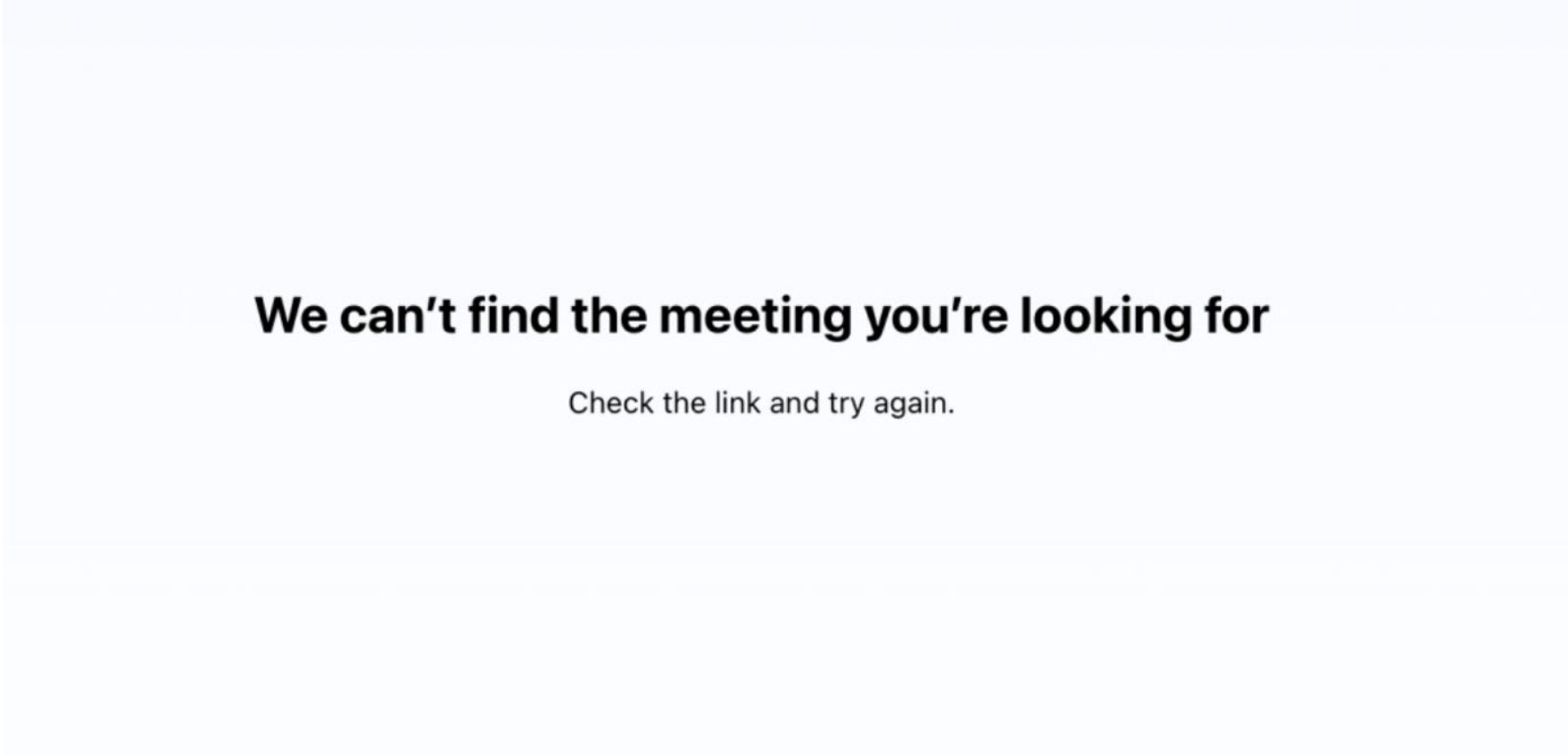
We looked at four of the main competing scheduling tools. They all let you switch a link off, but every one of them leaves the visitor at a dead end.
| Tool | Can pause a link | What visitors see | Sends visitors elsewhere | The gap |
|---|---|---|---|---|
| Calendly | Yes | "URL is not valid" | No | An error, with nothing for the visitor to do |
| SavvyCal | Yes | "No longer available" | No | A dead end, with no way forward |
| Cal.com | Partly | Hidden from profile | No | The link still works if you already have it |
| HubSpot | Yes | Not documented | No | Paused pages stay live |
| Wix Meetings | Yes | A redirect, or a clear notice | Yes, first in its category | The visitor lands somewhere useful |
The gap wasn't "add a toggle". It was that everyone stops at switching the link off and abandons the visitor. This means that the businesses using the product were losing potential customers, with no way of tracking them and getting them back.
The first idea was a form, so visitors on a paused link could leave their details. The thinking was right: a dead link is still a real person showing up. But the cost became clear during scoping.
The goal was never "add a form". It was: don't strand a visitor, and don't lose the lead.
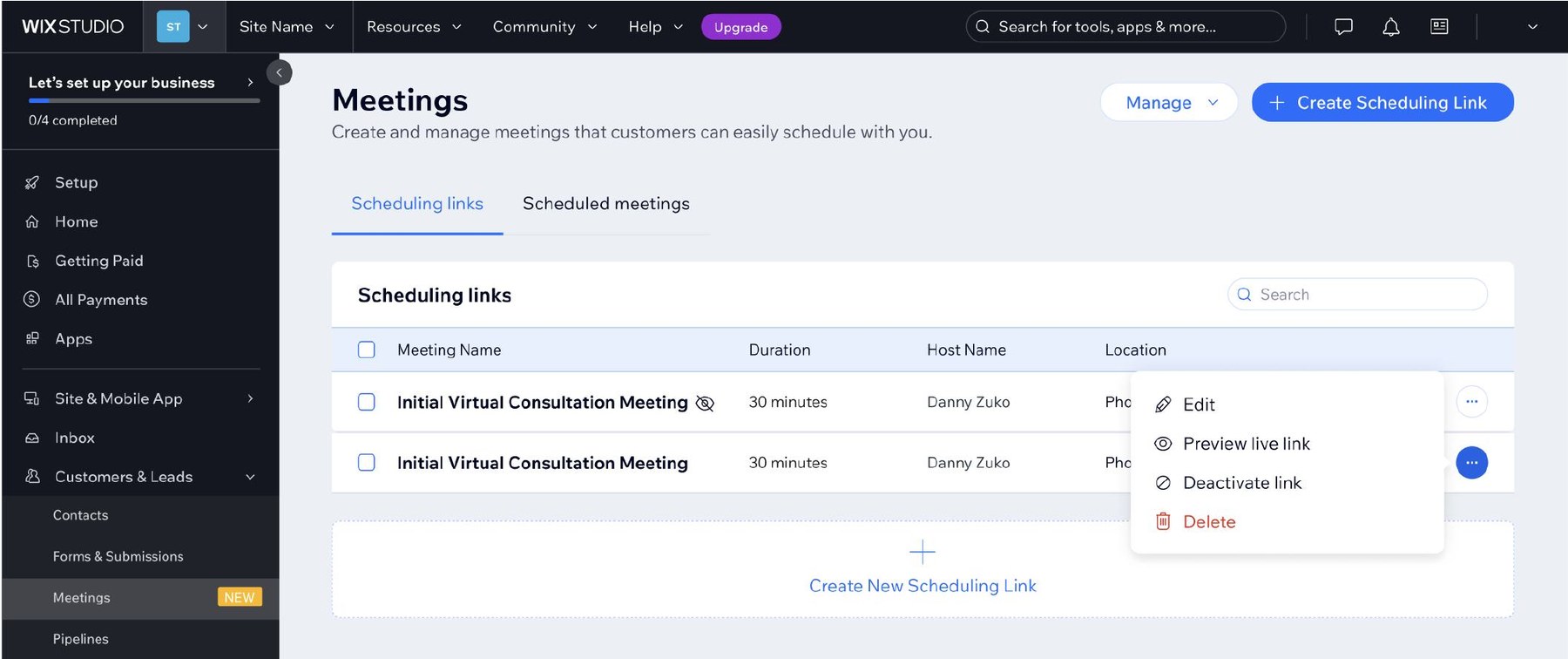
Owners can deactivate a link from the list of links or from inside the link's edit page. Either way it works the same, and the URL, settings and booking history are all kept. Turning it back on is one click.
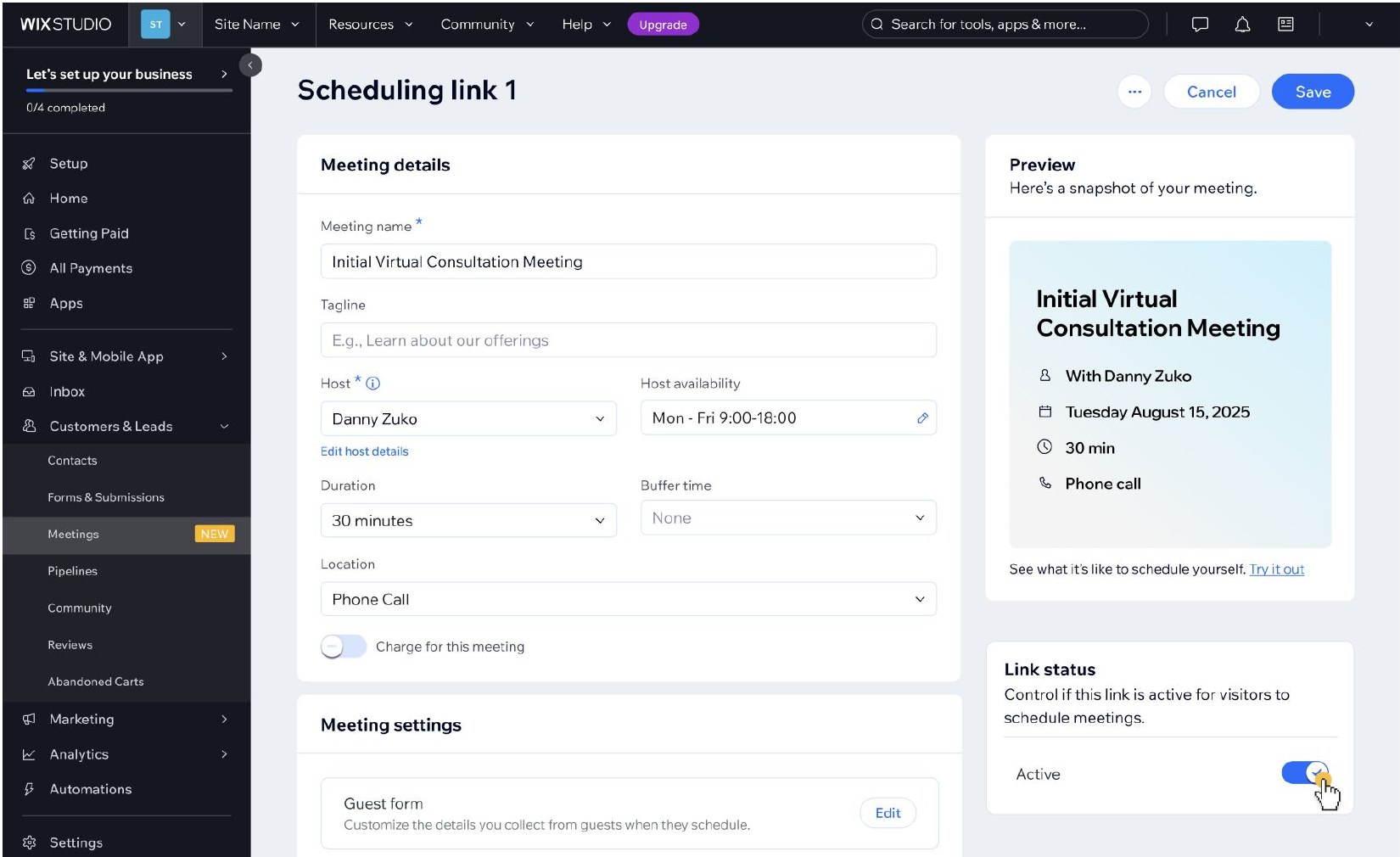
While a link is paused, the preview on the edit page switches to show either where visitors will be sent, or the notice they'll see.
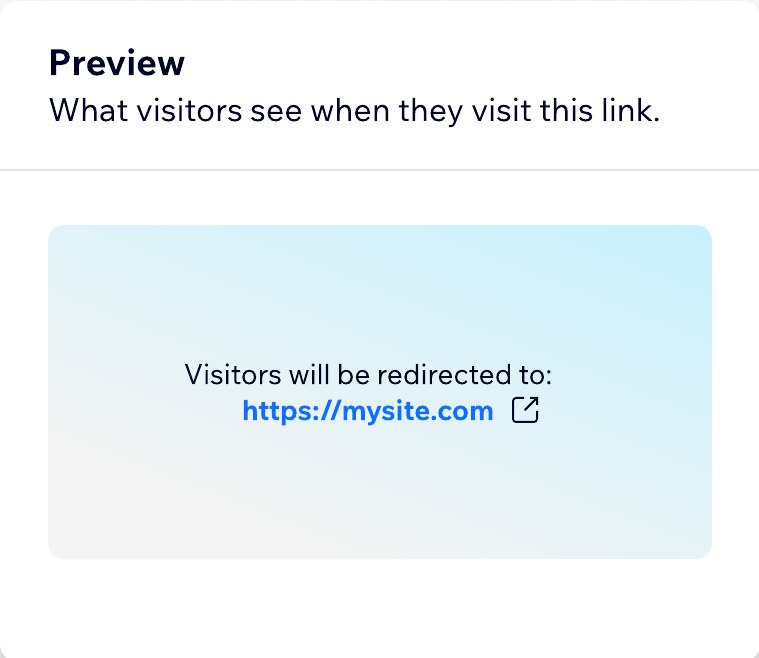
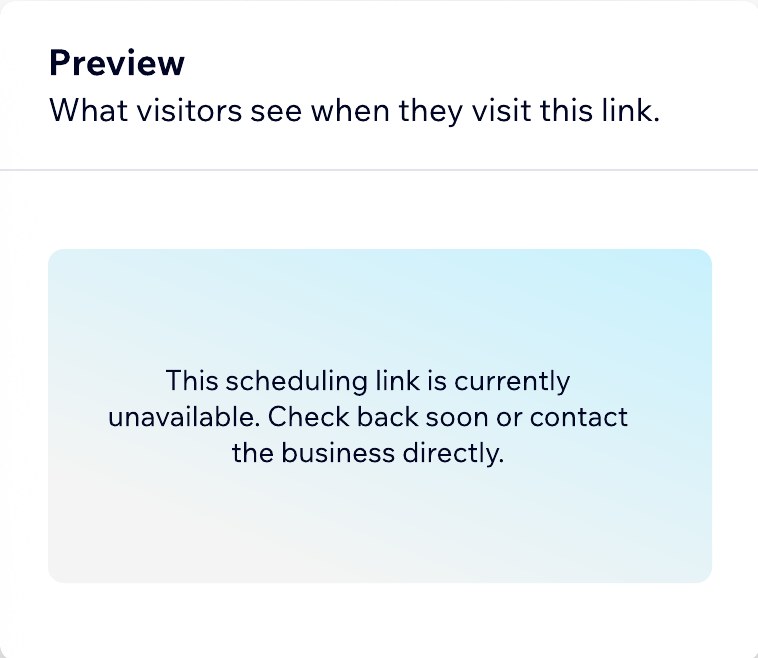
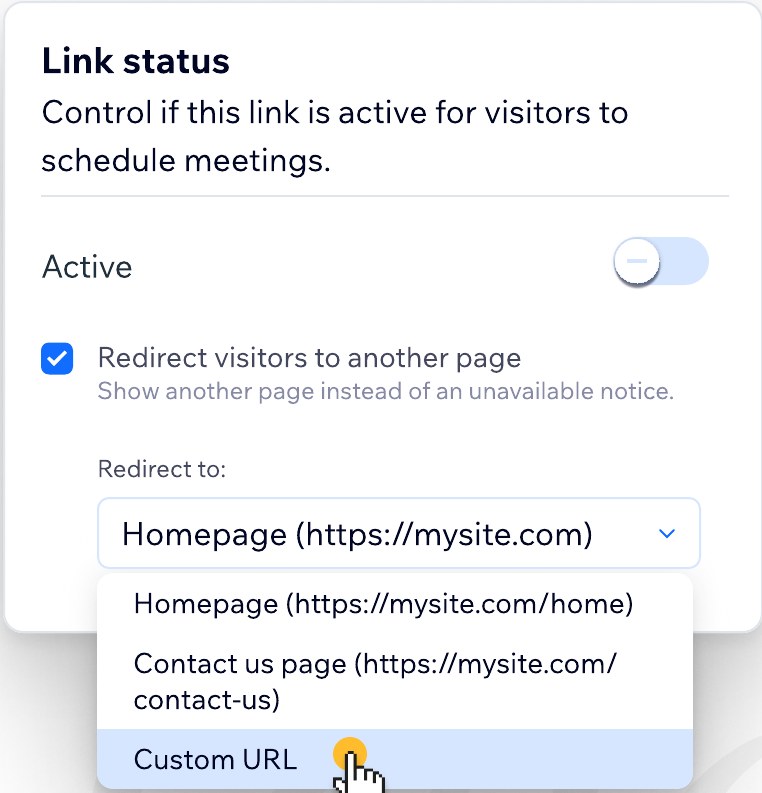
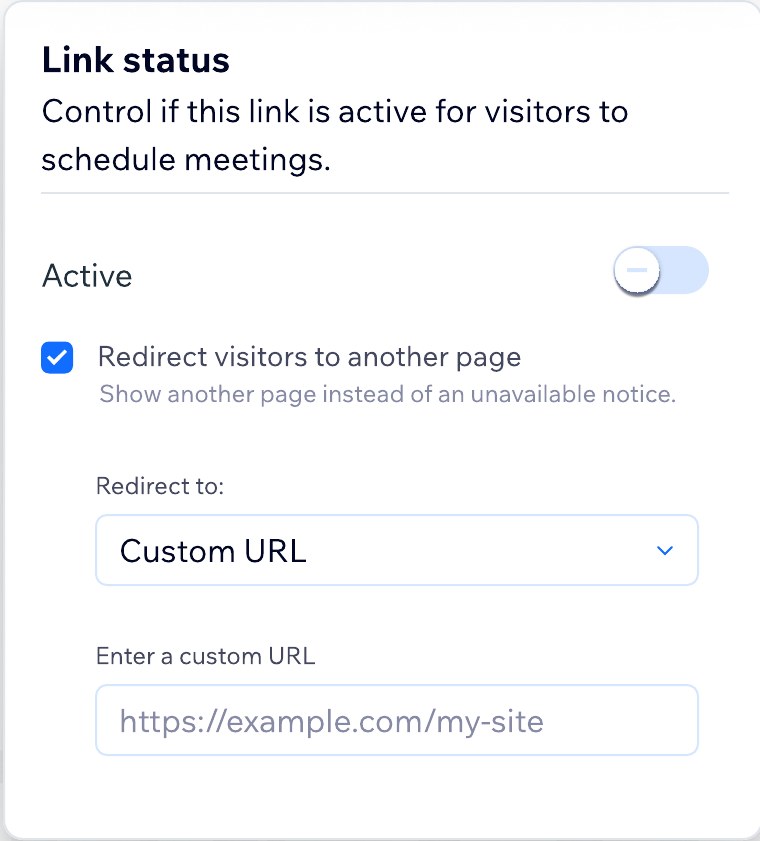
Sending visitors to another page is on by default. What the owner picks next depends on whether they have a Wix site.
When an owner goes to delete a link, a short message suggests deactivating it instead, and makes that the main button.
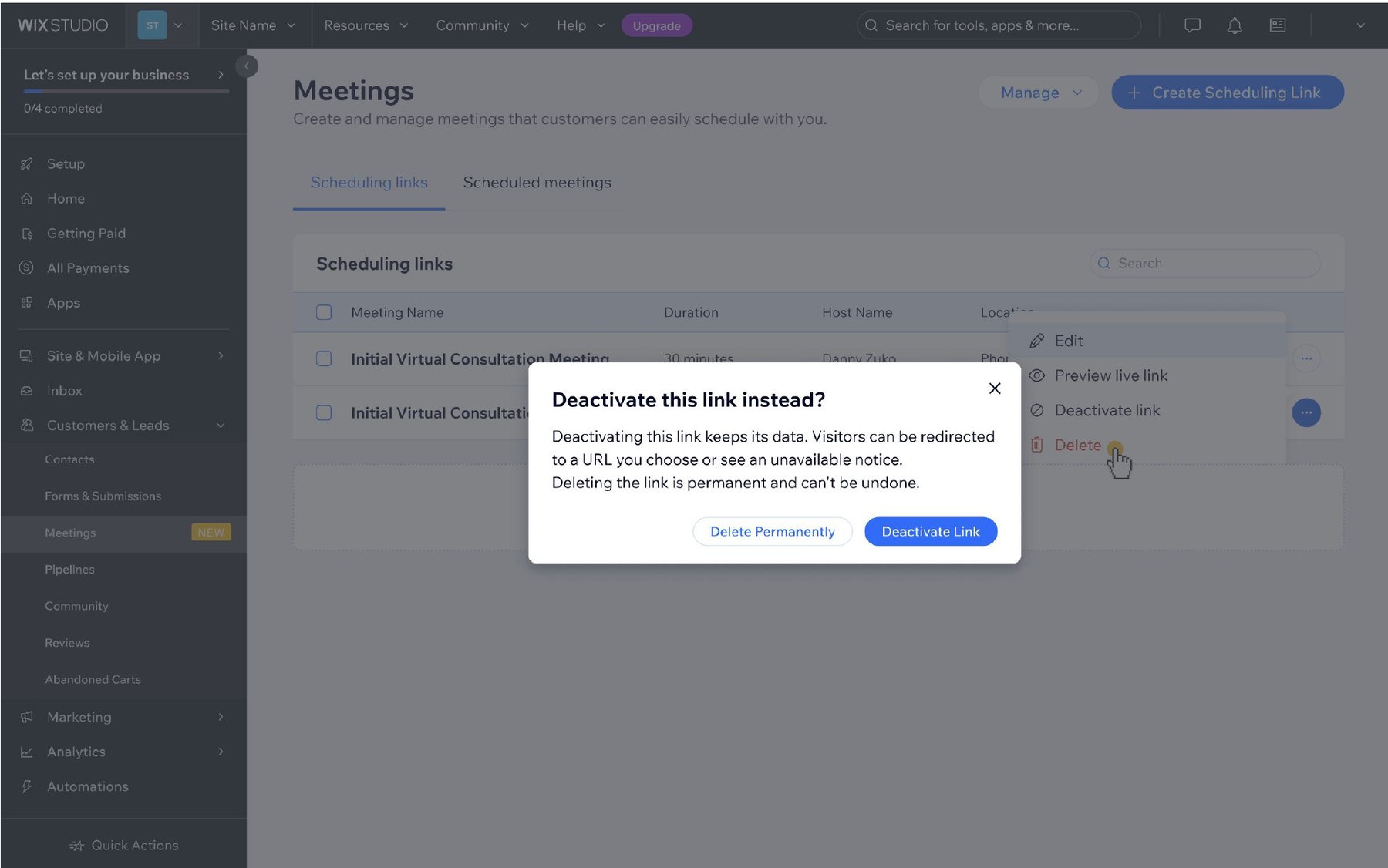
No confirmation when you switch a link off, because it's easy to undo. A confirmation when you delete, because you can't. The friction matches the consequence.
For owners who haven't found the toggle yet, this is the main moment they learn deactivating exists.
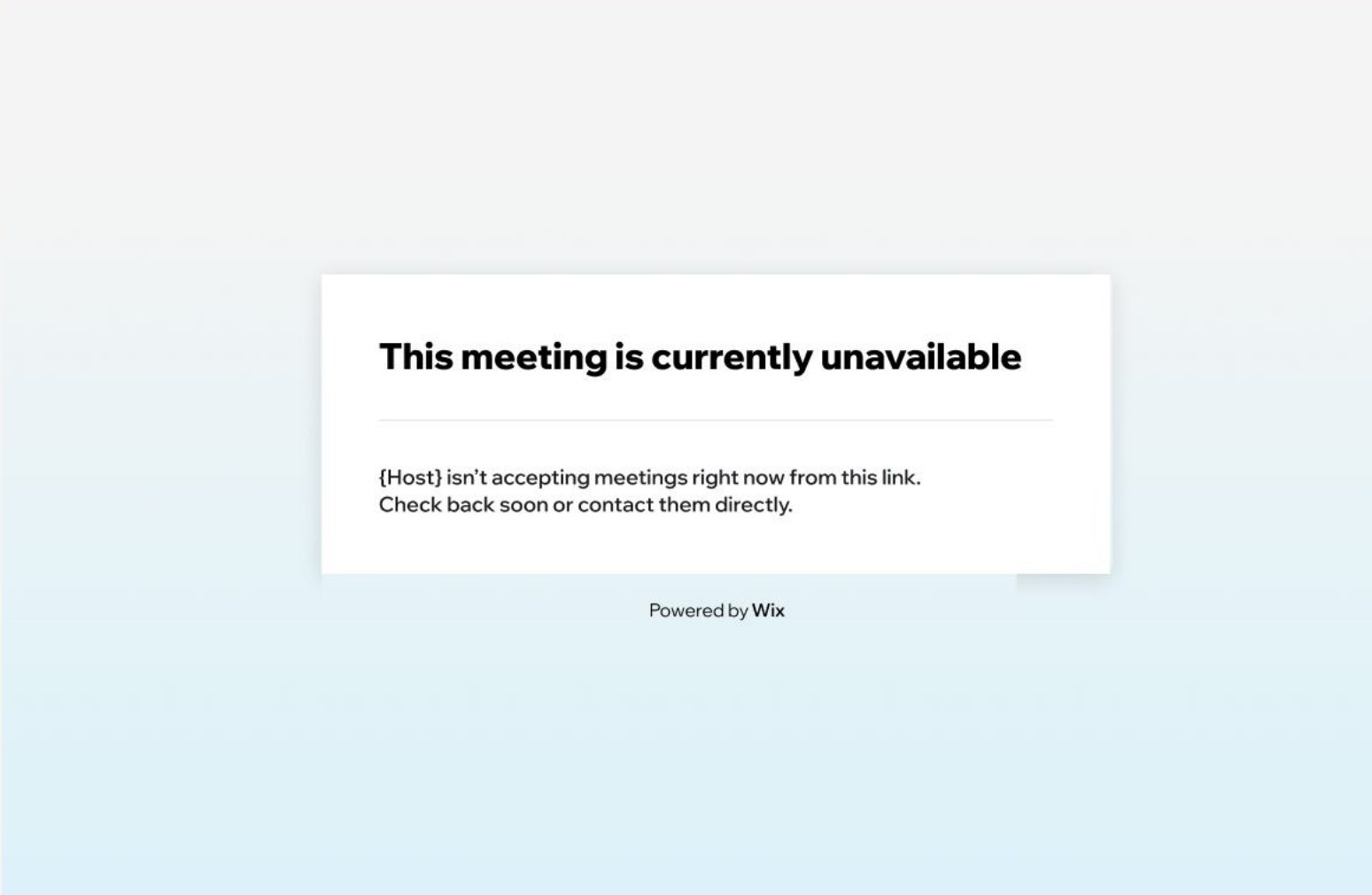
Two outcomes, depending on how the owner set it up. Both are far better than the generic error page every competitor shows.
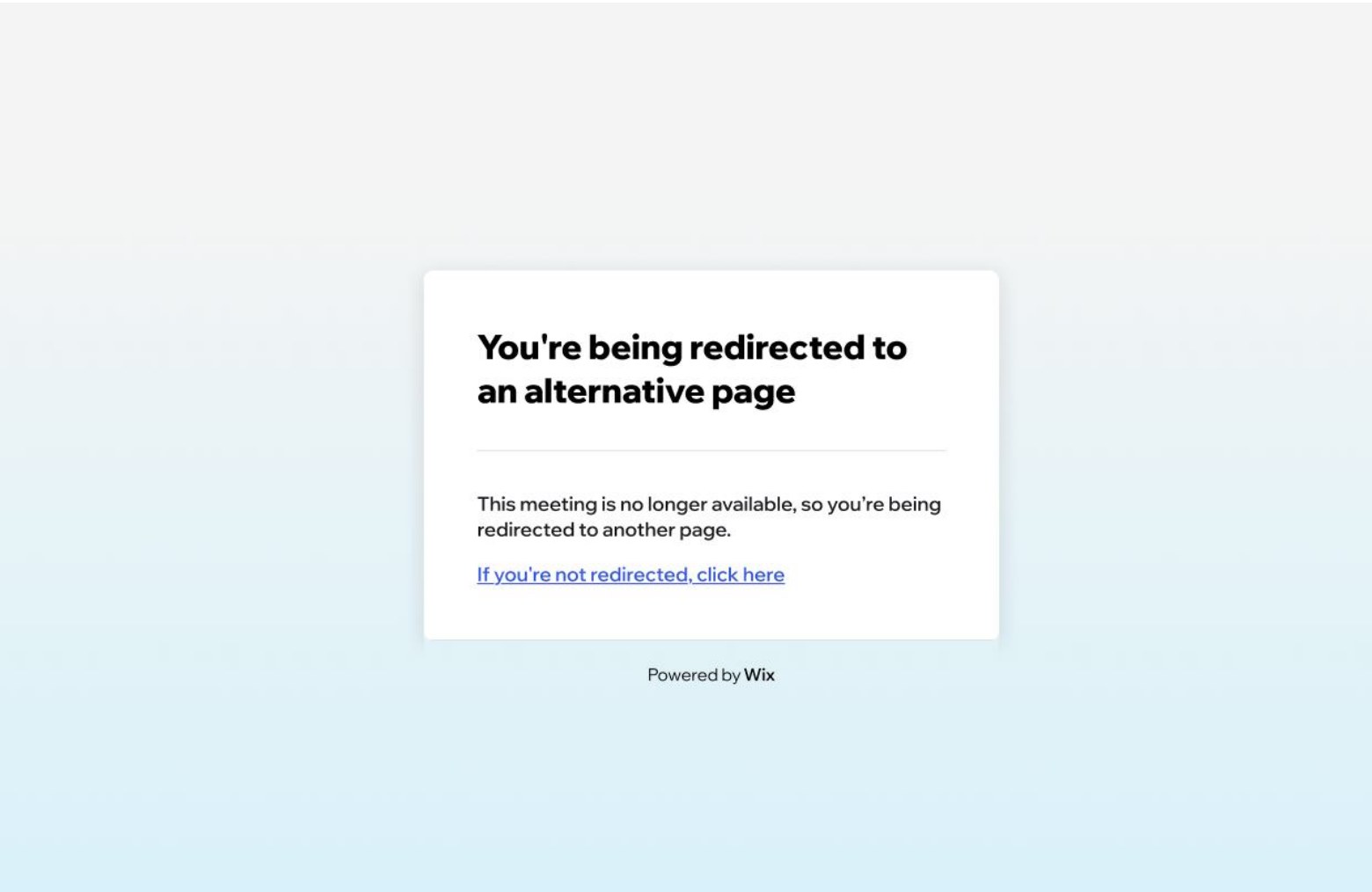
With a redirect. A short loading screen says what's happening, with a link in case the redirect doesn't start, then the visitor lands on the page the owner chose.
The same thinking shaped every line across the product. Wix Meetings has two very different readers: the business owner setting up links in the dashboard, and the visitor who only ever sees the booking page. These six rules came out of this flow and now apply across Meetings.
Owners manage links. Visitors book meetings. The same thing gets the word each reader uses.
"This scheduling link…" for owners, "This meeting…" for visitors
Before an action, say what it keeps, what it changes, and whether it can be undone.
"Deleting the link is permanent and can't be undone."
Helper text says what a setting does, so owners don't have to guess what happens if they leave it.
"Show another page instead of an unavailable notice."
A paused link is a choice the owner made, so the visitor page should read as intentional, not as an error.
"This meeting is currently unavailable"
Every dead end gets a way forward: a redirect, a fallback link, or someone to contact.
"If you're not redirected, click here"
Buttons say exactly what happens, especially when there are two choices side by side.
"Delete Permanently" and "Deactivate Link"
| Concept | Owner sees | Visitor sees | Why |
|---|---|---|---|
| The bookable page | Scheduling link | Meeting | Owners manage many links. Visitors only care about the meeting they're booking. |
| Turning it off | Deactivate link | Currently unavailable | "Deactivate" is an action the owner takes. "Unavailable" is a state the visitor meets. |
| Removing it | Delete permanently | Never shown | The word "permanently" carries the warning, so the owner can't miss it. |
| Sending elsewhere | Redirect visitors to another page | You're being redirected | Owners get the mechanism. Visitors get a plain description of what's happening. |
| Who they'll meet | Host | The host's name | Visitors see a person, through the {Host} variable, never a system role. |
The old line treated a paused link like a typo and blamed the visitor. The new one says it's intentional and offers a next step.
The first version described what happens if you uncheck it. The final one says what the checkbox does, so it reads naturally next to the label.
Enough to solve the core problem and ship, without building things we don't know are needed yet.
The drop in permanent deletes is the fastest signal. How often redirects are used tells us whether to build the contact form next.
Switching from a form to a redirect forced us to be precise about what the feature was for: don't strand or lose a visitor. The form was a means, not the goal.
Most permanent data loss doesn't come from bad intent. It comes from delete being the only option. Matching friction to consequence is a pattern worth reusing.
A simpler mechanism met the same need, shipped faster, and left room to grow. The right time to build the form is when the data says so.